
A forecast begins with a defined history
Before looking at a future number, inspect the period used to create it. Infinity’s supplied forecast view includes history dates and a forecast horizon. Ask whether the selected data represents ordinary trading, a promotion, a partial opening period or disrupted operations. A clear baseline makes the result easier to explain and compare.
Understand the average-daily approach
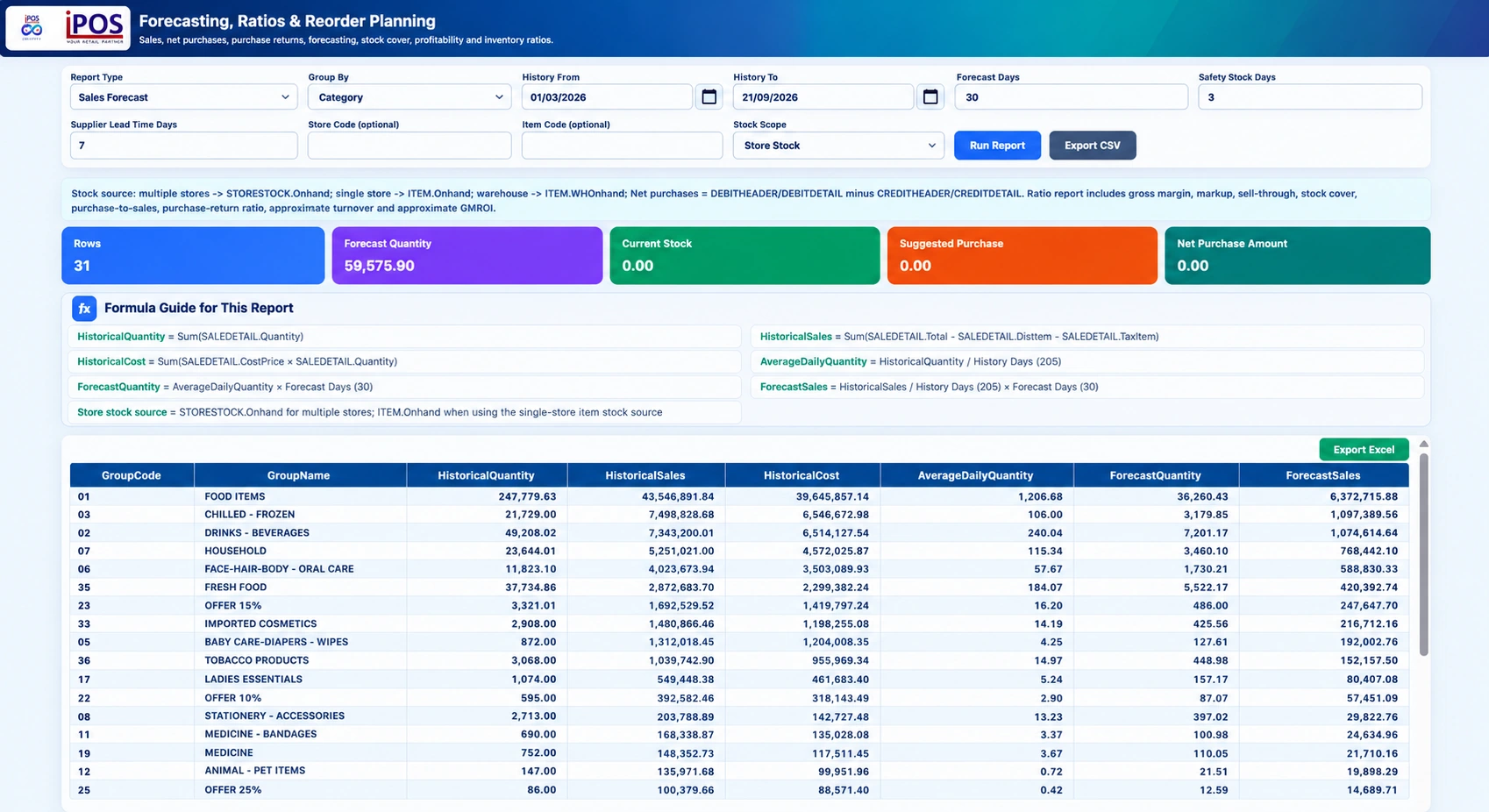
The supplied report describes average daily quantity as historical quantity divided by the history-day count, then applies the forecast-day count to the baseline. As an illustrative example, a daily average of twenty units across a thirty-day horizon produces a baseline of six hundred units. This arithmetic alone does not model changing demand. Inspect the application’s displayed day count, filters and formula guide rather than assuming how calendar boundaries were handled.
Separate quantity, sales value and margin
A quantity forecast, a sales-value forecast and a gross-margin forecast are related but different views. Infinity’s scope includes average daily sales, monthly sales forecasting and gross-margin forecasting. Product mix, selling prices and costs can change the relationship between them. Review the assumptions for each result before using it in a purchasing or operating plan.
Use expenses carefully in profit projections
Infinity includes expense-based profit-and-loss projections. The supplied income-forecast interface notes the use of previous-month actual expense activity. Confirm the exact expense basis in your configured report and consider known changes that the historical period cannot represent. A projection should be labelled and reviewed as an estimate, not presented as a guaranteed future profit.
Compare stores without losing context
Infinity supports single-store and consolidated forecasting with individual-store comparisons. Use comparable periods and investigate gaps or unusual activity. A new branch may have a very different history from an established one. Keep management judgment in the loop and use the forecast as a structured starting point for discussing the next period.
Your practical checklist
- Inspect history dates and the displayed day count.
- Separate units, sales value, margin and expense assumptions.
- Flag unusual periods and missing information.
- Treat the output as a baseline, not a guarantee.
Common questions
Does Infinity promise exact future sales?
No. Forecasts are estimates based on configured inputs and historical information.
Can forecasts be compared by store?
Yes. The supplied scope includes single-store, consolidated and all-store comparison views.
Product scope is based on the supplied Infinity specification. Confirm modules, hardware compatibility and implementation responsibilities for your own setup. This guide does not make a competitor ranking or promise a business result.