
Tell the team what your business actually does
A useful demonstration starts with context. Describe the industry, number of branches, counters, stock locations and users. Explain the problems you want to solve and the reports you currently struggle to produce. Include the name of any existing system and the integrations that must be considered. You do not need to provide live credentials or a full customer database to begin this discussion.
Bring a small, approved sample
Prepare representative products, a typical receipt, a supplier invoice and one correction or return scenario. Use sample or appropriately authorized data. For a multi-store business, explain any branch-specific pricing and reporting requirements. For fuel operations, provide an equipment inventory rather than asking the team to assume controller and probe compatibility.
Ask to follow a connected workflow
Start with a sale, then review its stock, customer and reporting context. Add a purchase and a return. Ask an accounts user to explain the ledger or financial reporting workflow relevant to your scope. Infinity connects several management areas, so the demonstration should show the relationships between them rather than only moving through attractive screens.
Test intelligent reporting with your own wording
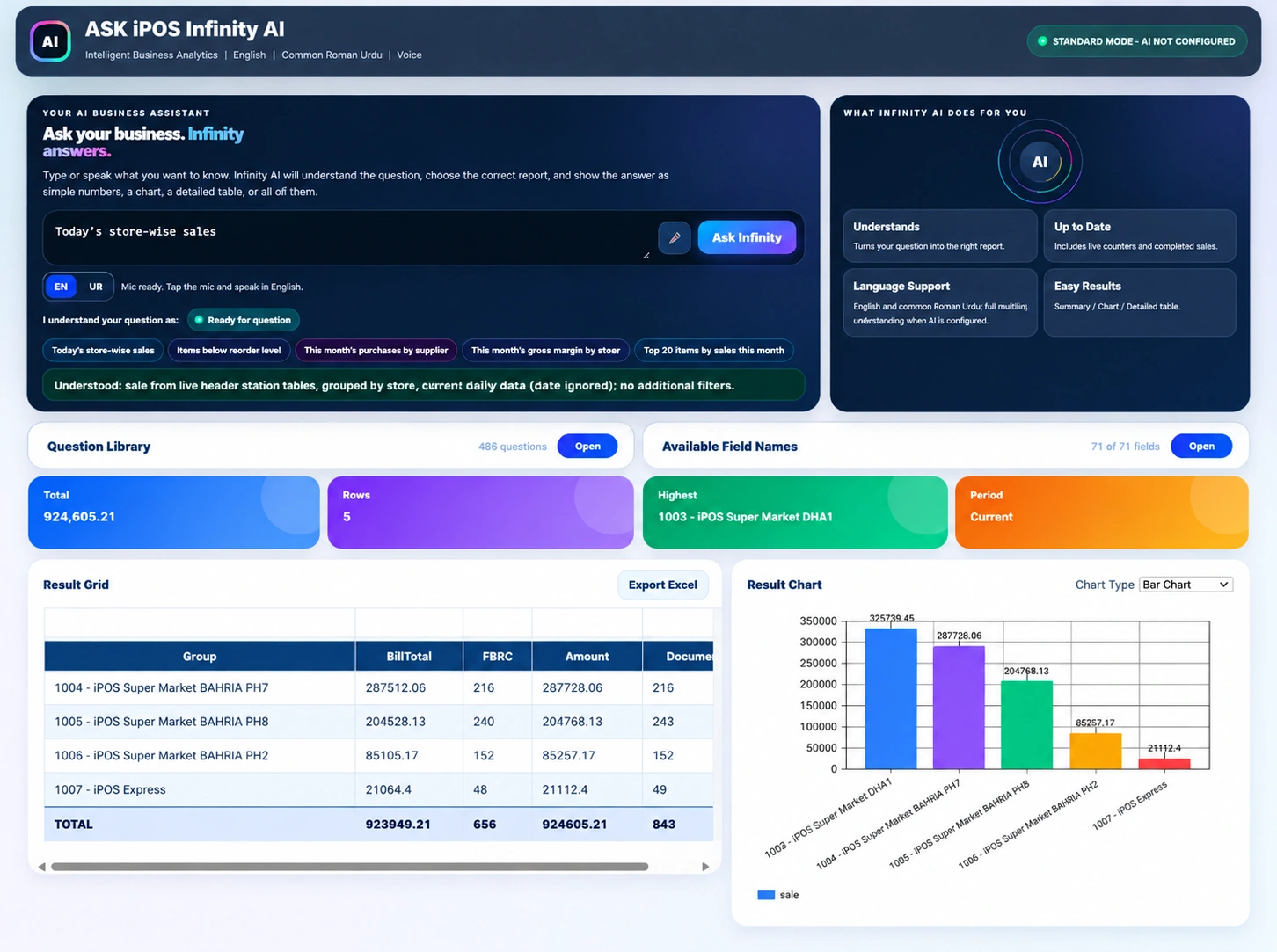
Try a question such as “Today’s store-wise sales” and inspect the interpreted period and grouping. Ask how standard AskInfinity reporting differs from optional AI-assisted language understanding. Review the supporting table as well as the summary and chart. Confirm voice and language behavior in the proposed environment instead of assuming every phrase will be understood identically.
Leave with a written next step
Record the modules demonstrated, hardware assumptions, configuration needs and any customization discussed. Ask about training, data preparation, support and implementation responsibilities. A demo request is an enquiry, not a confirmed appointment. Use the official iPOS company contact page to ask for a suitable discussion and wait for the team to confirm the arrangements.
Your practical checklist
- Describe industry, locations, counters, users and present challenges.
- Prepare representative, approved sample transactions.
- Test permissions, reports and required integrations.
- Request written scope and confirmation of the next step.
Common questions
Does clicking “Request a demo” book a confirmed meeting?
No. It opens the official iPOS enquiry page. The company team must confirm any meeting or demonstration.
Should I share production credentials through this website?
No. This marketing site does not collect or require database, server or POS credentials.
Product scope is based on the supplied Infinity specification. Confirm modules, hardware compatibility and implementation responsibilities for your own setup. This guide does not make a competitor ranking or promise a business result.