
Design around the busiest part of the day
Supermarket software should be evaluated under a realistic counter scenario. Use commonly sold items, barcode entry, an authorized discount and more than one payment method. Test a bill reprint and a return as well as an ordinary sale. Observe how easily the cashier can understand the transaction status. A feature list does not replace watching the workflow with the kinds of baskets your customers actually buy.
Connect the counter to stock decisions
Frequent sales only help replenishment when stock information can be interpreted correctly. Infinity provides item-wise and store-wise visibility, cost and retail valuation, reorder monitoring and stock movement controls. Buyers can examine purchase history and supplier pricing alongside operational stock. Agree how damaged goods, returns and stock adjustments will be recorded so that apparent shortages are investigated rather than immediately treated as purchase requirements.
Use category and supplier views together
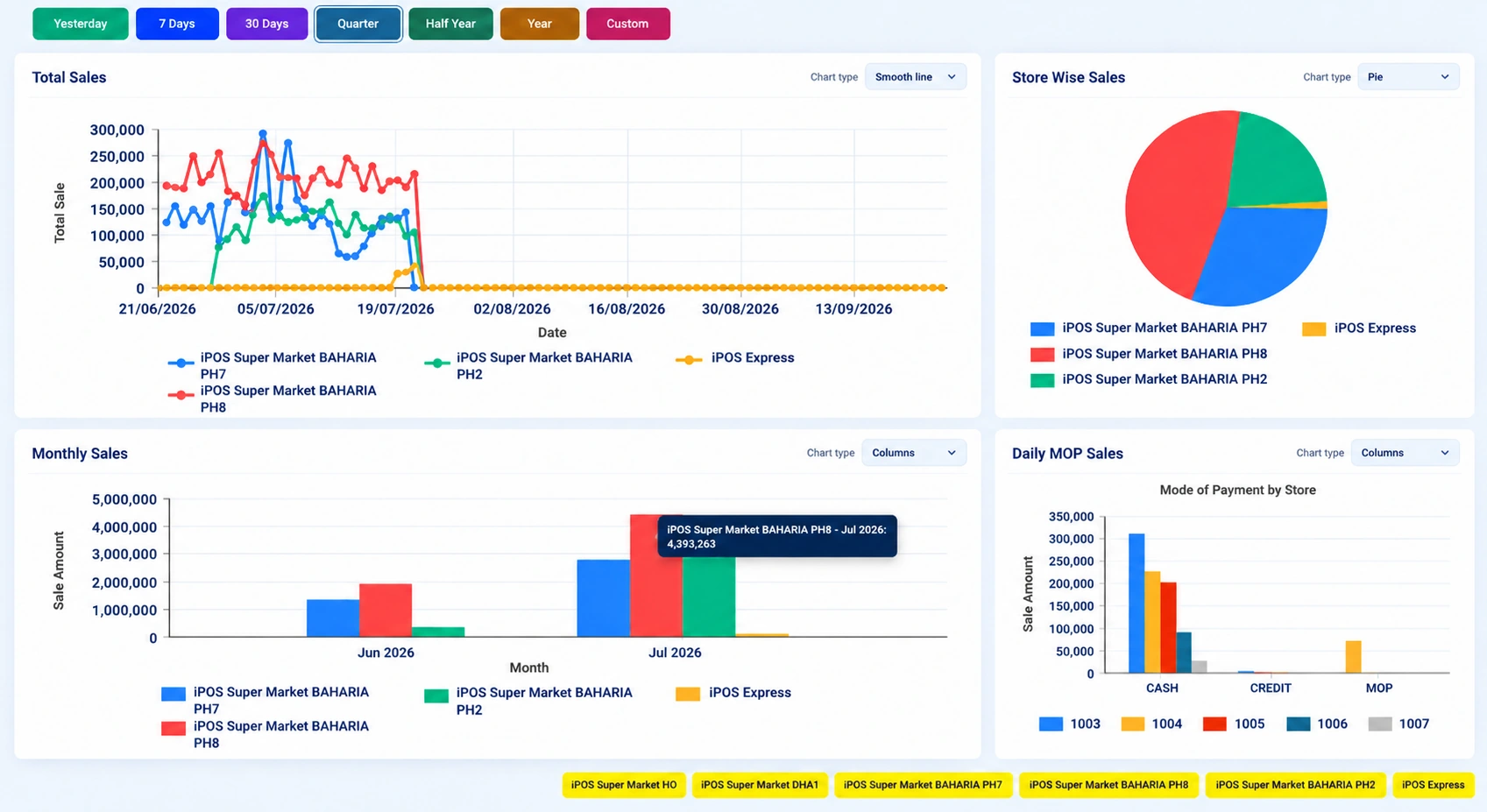
A category report shows where sales or stock value is concentrated. A supplier report answers a different question: which trading relationships account for purchases and inventory. Infinity includes category contribution, top-selling items and supplier-wise purchase analysis. These views should be compared over clearly selected periods. Current stock valuation is not the same thing as a historical sales report, and a high sales value alone does not establish a strong margin.
Keep head office and branches aligned
For multiple supermarkets, review branch prices, stock, sales and expenses separately before looking at consolidated totals. Infinity supports store-level and consolidated reporting with role-based access. Establish who can update a product, approve a price variation or post an adjustment. Demonstrate these responsibilities using separate user roles so that branch operators are not expected to make head-office decisions.
Prepare a useful supermarket demo
Bring a small product sample, a supplier invoice, a return example and a typical end-of-day question. Ask to see the cashier transaction and the corresponding management view. For Bank Alfalah processing or other hardware-dependent workflows, identify the intended equipment and confirm compatibility instead of assuming that every terminal uses the same integration.
Your practical checklist
- Test barcode billing, mixed payments, returns and reprints.
- Review stock by item, category, supplier and store.
- Demonstrate a price change with the correct authorization.
- Ask how counter results appear in head-office reports.
Common questions
Can Infinity compare sales across supermarket branches?
Yes. The product scope includes single-store, store-wise and consolidated sales reporting.
Can I assess stock at both cost and retail price?
Yes. Infinity includes cost and retail stock valuation; confirm the location scope and valuation basis in your configuration.
Product scope is based on the supplied Infinity specification. Confirm modules, hardware compatibility and implementation responsibilities for your own setup. This guide does not make a competitor ranking or promise a business result.