
Begin with the service model
A restaurant’s requirements depend on how orders reach the counter and how customers pay. Explain whether the immediate scope is counter billing, takeaway, delivery or a wider service workflow. Infinity’s supplied scope covers restaurant support alongside POS, inventory, customer management and reporting. Ask the iPOS team to demonstrate any restaurant-specific workflow that is essential rather than assuming it from an industry label.
Test the transaction variations
Use an ordinary sale, an authorized discount, a mixed payment, a reprint and a return or correction scenario in the demo. Infinity includes multiple payment methods and cashier-focused operations. Make the permissions clear: the person taking payment may not be the person authorized to approve an adjustment. A realistic evaluation should show what happens when a transaction needs review, not only when everything follows the simplest path.
Connect purchasing and stock context
A restaurant also needs to understand what is being bought, from whom and at what cost. Infinity includes supplier history, purchase invoices, returns and inventory visibility. Agree the product and quantity definitions used in your configuration. Recipe costing, kitchen routing, table management and other specialist workflows should be confirmed separately with the team rather than inferred from the general product description on this site.
Read sales alongside operating costs
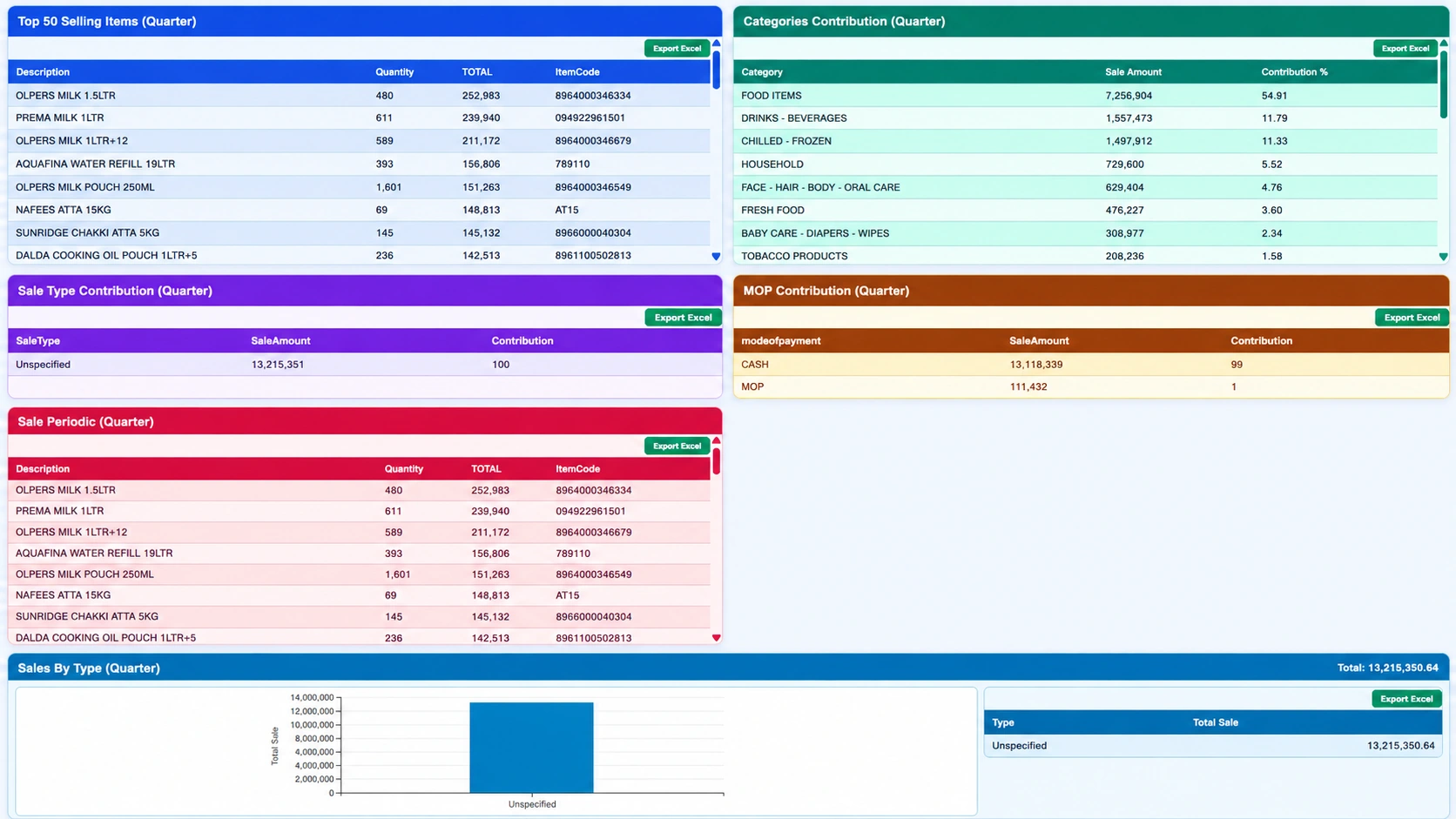
Strong sales do not on their own establish profitability. Use the relevant gross-margin information, expense monitoring and financial reporting to inspect the broader result. Infinity includes accounting and expense-based projections, but the business must still ensure that its cost and expense records are complete. Compare equivalent periods and investigate unusual refunds or payment contributions.
Use a focused first phase
A controlled launch might begin with clean product data, permissions, payments and daily reporting. Discuss later phases only after the core workflow is understood by the team. Take a representative receipt, a supplier invoice and the management reports you currently use to the consultation. That makes the implementation discussion more concrete.
Your practical checklist
- Explain your service model and essential restaurant workflows.
- Demonstrate payment, reprint and correction scenarios.
- Confirm specialist restaurant modules explicitly.
- Review purchasing, expenses and reporting alongside billing.
Common questions
Does this site claim every restaurant module is included?
No. Confirm specialist requirements such as kitchen, table or recipe workflows in the proposed configuration.
Can restaurant teams use Infinity for management reporting?
The product scope includes sales analysis, inventory, purchasing, customer accounts, accounting and operational reports.
Product scope is based on the supplied Infinity specification. Confirm modules, hardware compatibility and implementation responsibilities for your own setup. This guide does not make a competitor ranking or promise a business result.