Look beyond the purchase total
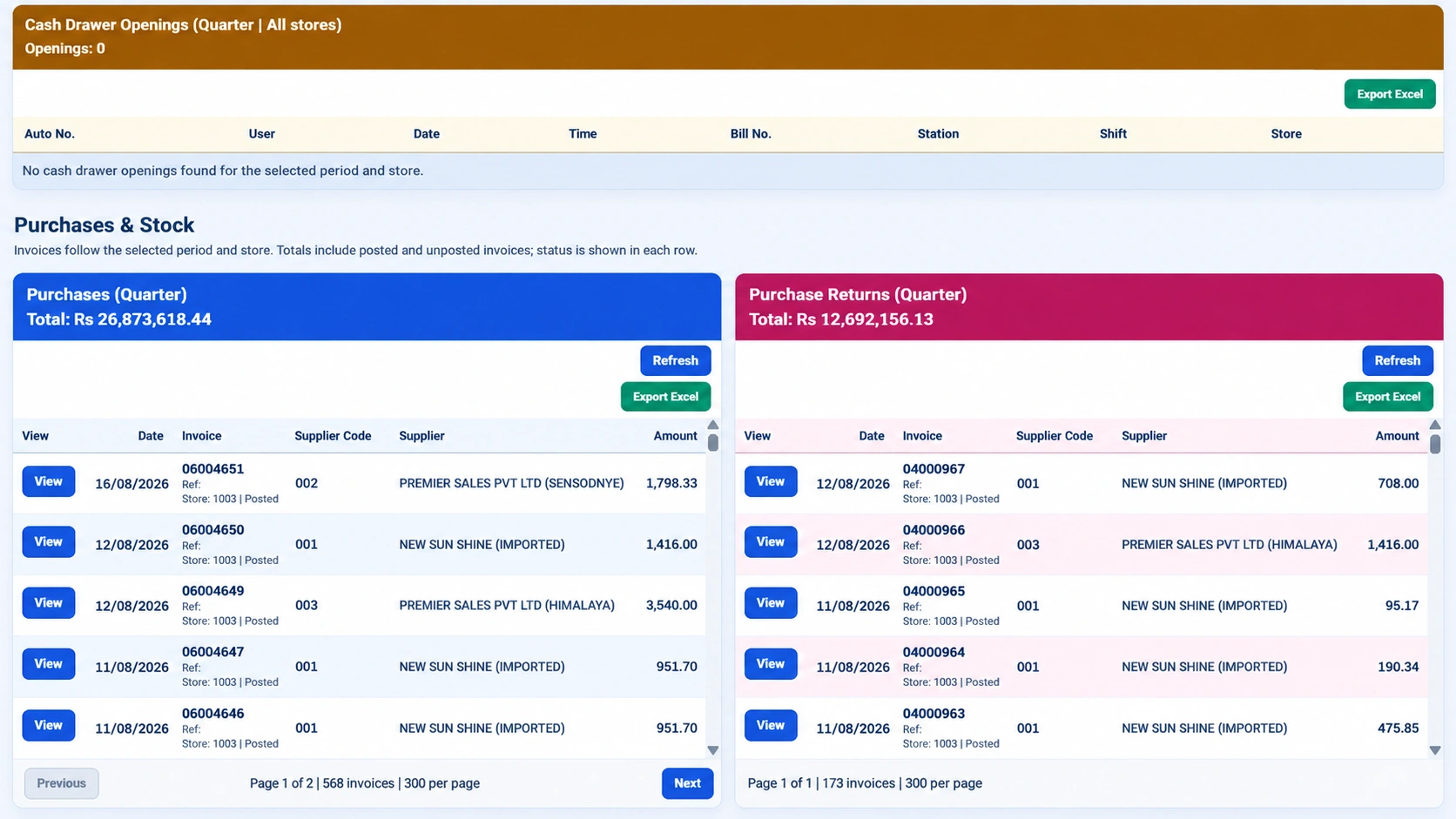
A purchasing decision is more useful when the team can see the supplier, products, dates and transaction status behind it. Infinity supports purchase orders, invoices and returns alongside supplier history. The supplied purchase screen also distinguishes posting status. Use those details to understand what a total includes rather than assuming that every displayed document has the same operational meaning.
Separate invoice review from price approval
A supplier invoice can introduce a cost change that deserves a separate review. Infinity includes supplier pricing, price history and cost-price variation monitoring. Compare the proposed change with the relevant product and supplier records. Agree who is allowed to accept a variation and whether a selling-price review should follow. A higher purchase price should not silently become an unexplained margin difference.
Keep returns visible
Purchase returns should be considered alongside purchases, not forgotten after the goods leave the premises. Confirm the original transaction reference, quantities, supplier and relevant period. Infinity includes purchase-return reporting and supplier transaction history. Ask accounts and purchasing teams to demonstrate how they review a return in the configured system so both understand its effect on their records.
Review balances with transaction context
An outstanding supplier balance is more useful when the supporting transaction history is available. Infinity’s scope includes supplier balances and complete transaction history together with integrated accounting. Agree the review process for unusual or disputed entries. A software total supports the discussion, but it does not replace matching the underlying business documents and confirming the scope of the report.
Create a purchasing review routine
Choose a regular review of cost variations, supplier purchases, returns and outstanding balances. Assign responsibility for resolving exceptions. During implementation, bring a small sample of existing supplier records and invoices, including at least one return. This reveals data-quality issues earlier than importing a large catalogue without checking how it will be used.
Your practical checklist
- Check document period, supplier and posting status.
- Review cost changes with an authorized owner.
- Keep purchase returns in the reconciliation process.
- Match balances to supporting transaction history.
Common questions
Can Infinity show supplier price history?
Yes. Supplier pricing and price history are part of its purchasing scope.
Should purchases and returns be reviewed separately or together?
Both views are useful. Inspect each transaction type, then interpret the net position using the same period and scope.
Product scope is based on the supplied Infinity specification. Confirm modules, hardware compatibility and implementation responsibilities for your own setup. This guide does not make a competitor ranking or promise a business result.