
What a POS workflow covers
Point of sale is the operational moment where an item or service becomes a customer transaction. It typically involves product selection, quantities, prices, payment handling and a receipt. In Infinity, billing also supports customer and vehicle linking, discounts, taxes, returns and reprinting. These counter activities matter because they are repeated throughout the day, often while customers are waiting. A good evaluation starts with how clearly and consistently the operator can complete them.
What changes beyond the counter
As a business grows, managers need more than a sale total. They need to know which stock location supplied the goods, whether replenishment is needed, how the supplier balance changed and what the result means for accounts. Separate tools can create extra re-entry and make reconciliation harder to follow. An integrated business-management system aims to connect these operational areas, while preserving the distinct responsibilities of cashiers, buyers and accounts staff.
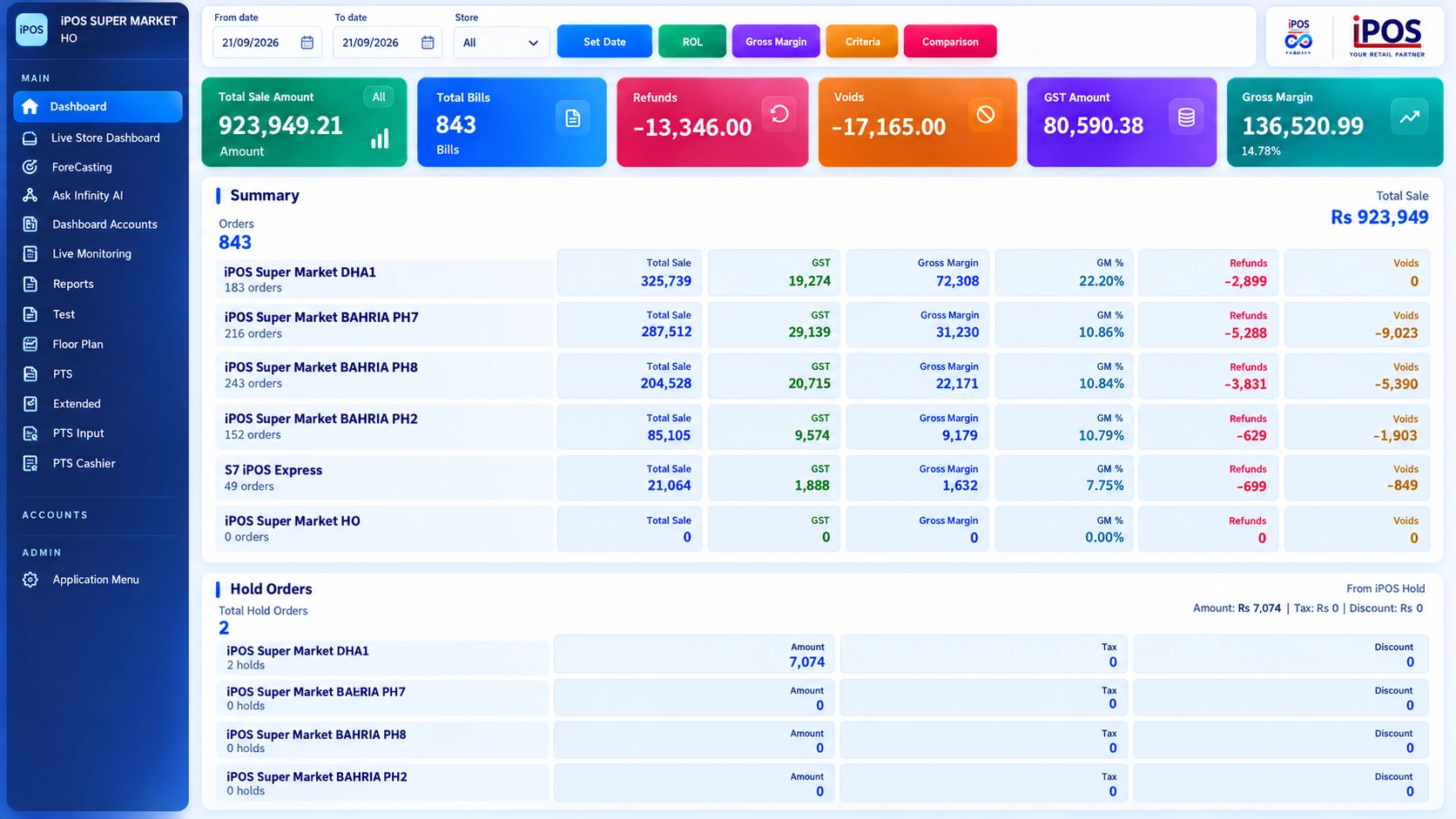
How Infinity connects these responsibilities
Infinity combines POS with inventory, purchasing and supplier management, customer accounts, integrated accounting and head-office control. The same management environment includes stock valuation, purchase history, financial reports and branch comparisons. Users can have different access rights, rather than sharing unrestricted administrator access. The important question is not how many features appear in a brochure, but whether the required transaction can be followed through the modules your business will actually use.
Choose the scope you can operate well
A business does not need to activate every available function on the first day. Start with a clear product master, accurate opening stock and a controlled billing workflow. Add purchasing, account controls and branch oversight through a planned rollout. Ask the implementation team which dependencies must be configured before each phase. Keep responsibility for data review with named people, especially when opening balances and stock are involved.
Test the connected result
During a demo, trace a purchase, a sale and a return. Look for the relevant stock movement, customer or supplier history and reporting output. Then ask an accounts user and a store manager to explain how they would review the result. This is a stronger test of an integrated system than viewing each module in isolation.
Your practical checklist
- Map one transaction from entry to reporting.
- Identify who owns product, price, stock and accounts data.
- Separate first-phase requirements from later enhancements.
- Confirm the proposed modules and user permissions.
Common questions
Does every shop need a full ERP-style rollout?
Not necessarily. Scope the implementation around the workflows and controls that the business needs now.
Is Infinity only a billing application?
No. Its supplied product scope also includes inventory, accounting, purchasing, multi-store control, forecasting and other management modules.
Product scope is based on the supplied Infinity specification. Confirm modules, hardware compatibility and implementation responsibilities for your own setup. This guide does not make a competitor ranking or promise a business result.