
Weighed Barcodes and Pack Units in Grocery POS
Test grocery POS handling of weighed labels, pack sizes, unit conversion and returns so the scanned quantity, selling price and stock movement agree at the counter.
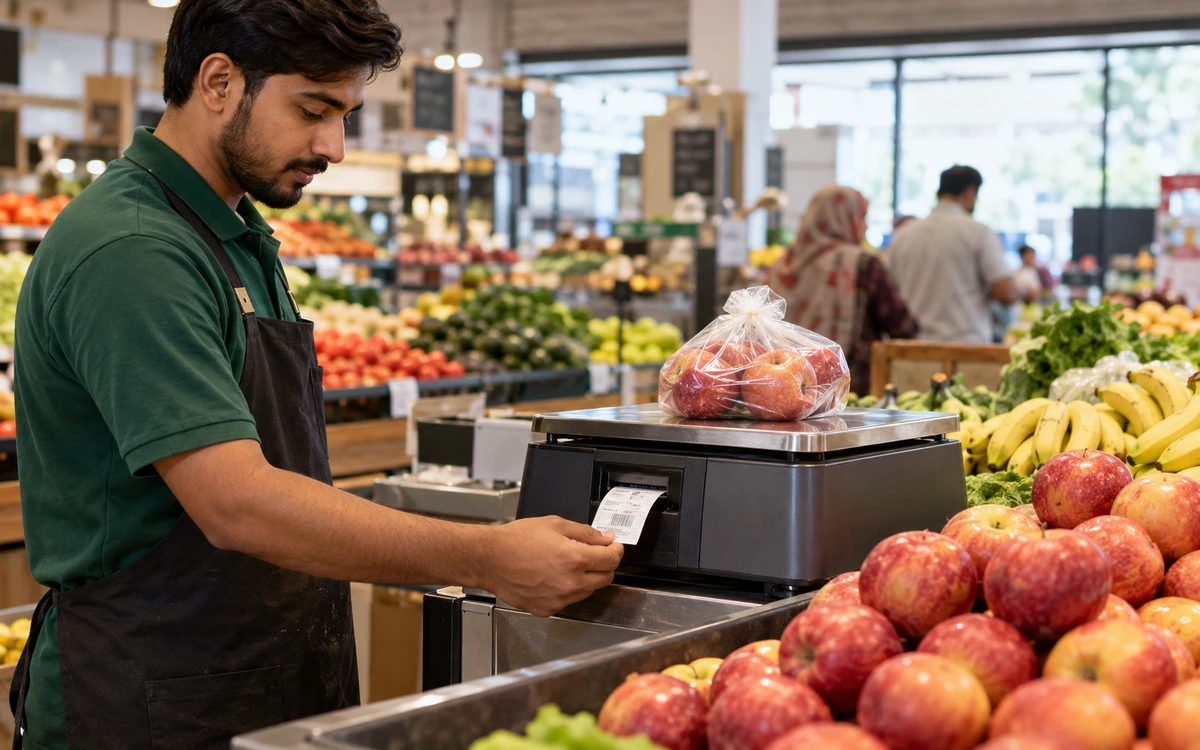
Scan the right quantity.
Choose a stage to explore the practical checks.
Create a product and unit map
Choose a small set of representative products rather than testing only the easiest packaged item. Include a weighed product, an individual item and a product bought in one pack size but sold in another. Record the purchasing unit, selling unit and conversion agreed by the business. Avoid ambiguous names such as large pack without a defined quantity. The implementation team needs enough detail to distinguish a pricing problem from an incorrect product or unit setup.
Read this part of the guideInspect the label format before scanning
Ask the supplier of the weighing equipment and the software team to confirm the exact barcode format used by your labels. Establish which parts identify the item and which parts represent other information. Do not assume that every scale label is interpreted in the same way. Bring real sample labels to the demonstration, including a label from an older device if it remains in use. Compatibility should be confirmed for the intended equipment combination.
Read this part of the guideCompare the screen, receipt and stock effect
Scan a normal label and compare the displayed product, quantity, price and final amount with the expected result. Complete the sale and inspect the customer document and stock movement. Repeat the test with a quantity that produces a rounding question. Agree how the proposed setup handles the result and have the responsible person approve it. The arithmetic should be explainable; staff should not need to change a total manually just to make the receipt look right.
Read this part of the guideA grocery counter can sell the same item by weight, by piece and by pack. The label may encode information that is different from a normal product barcode. Test those distinctions carefully before launch. A good demonstration shows how the proposed iPOS setup interprets the label and how that interpretation affects stock, price and the receipt.
Create a product and unit map
Choose a small set of representative products rather than testing only the easiest packaged item. Include a weighed product, an individual item and a product bought in one pack size but sold in another. Record the purchasing unit, selling unit and conversion agreed by the business. Avoid ambiguous names such as large pack without a defined quantity. The implementation team needs enough detail to distinguish a pricing problem from an incorrect product or unit setup.
Inspect the label format before scanning
Ask the supplier of the weighing equipment and the software team to confirm the exact barcode format used by your labels. Establish which parts identify the item and which parts represent other information. Do not assume that every scale label is interpreted in the same way. Bring real sample labels to the demonstration, including a label from an older device if it remains in use. Compatibility should be confirmed for the intended equipment combination.
Compare the screen, receipt and stock effect
Scan a normal label and compare the displayed product, quantity, price and final amount with the expected result. Complete the sale and inspect the customer document and stock movement. Repeat the test with a quantity that produces a rounding question. Agree how the proposed setup handles the result and have the responsible person approve it. The arithmetic should be explainable; staff should not need to change a total manually just to make the receipt look right.
Test damaged and incorrect labels
Use a damaged label, an unknown item code and a label that should no longer be used. Observe the operator's options and the controls around manual entry. Decide when a supervisor is needed and how a correction is recorded. A fallback procedure should help staff continue responsibly while keeping the record clear. An unrestricted manual-price shortcut can hide the underlying label problem and make later stock or margin review unnecessarily difficult.
Include pack conversion and returns
Receive a carton, sell individual units and then process a representative return. Compare the remaining quantity in the agreed base unit. If the business sells both a multipack and its contents, confirm whether the proposed product model uses separate items, conversion rules or another supported method. The correct choice depends on your operation and configuration. Keep the decision documented so purchasing, the stockroom and the counter all use the same understanding.
Maintain the setup after launch
Assign responsibility for new product units, scale-label changes and price updates. Keep a small regression basket that can be tested after an equipment or configuration change. Train cashiers to report a label problem with the product and a sample label, rather than only the disputed total. For a broader control discussion, connect these tests with promotion and discount checks, because multiple pricing rules can interact at the same grocery counter.
Useful next steps
Bring actual scale labels and your purchase-to-sale unit map to iPOS. These inputs make a hardware and grocery workflow demonstration much more useful. Discuss your requirements with iPOS.
More from Insights

Owner Mobile Apps for Connected POS and ERP Management
Connect owner decisions with iPOS Web POS, Infinity ERP and mobile access. Evaluate branch context, exceptions, permissions and useful management workflow…

Customer Mobile Apps for Stronger Retail Relationships
Plan a useful iPOS customer mobile app around real customer journeys, clear records and consistent service, with owner and customer responsibilities kept…

Ecommerce Stores, iPOS Web POS and Infinity ERP
Plan an ecommerce store alongside iPOS Web POS and Infinity ERP, with clear ownership of products, stock, orders, fulfilment and customer-facing informati…