
Restaurant POS: Split Bills and Kitchen Handoffs
Evaluate restaurant POS workflows with split bills, order changes, kitchen handoffs and payment reconciliation using realistic service scenarios before launch.
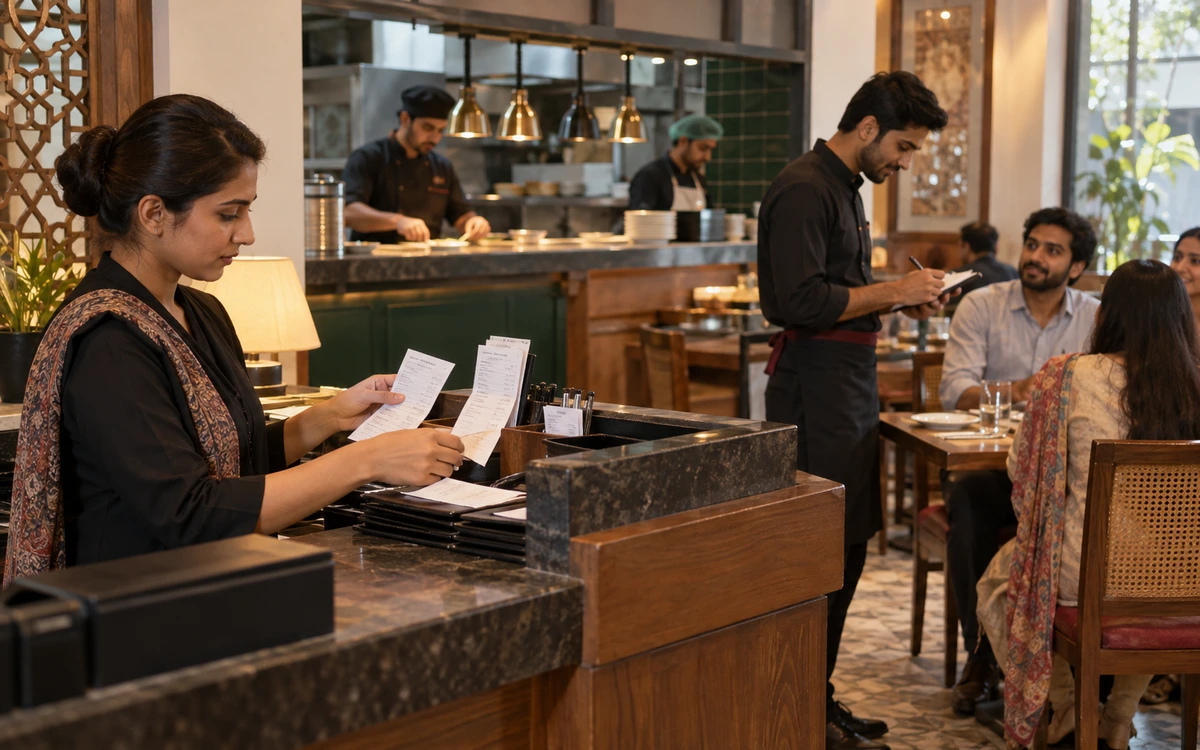
An order can change. Keep control.
Choose a stage to explore the practical checks.
Describe your service model clearly
Write down whether the restaurant offers table service, takeaway, delivery or several of these together. Include table sections, order-taking devices, kitchen stations and who may change an order. A small counter-service outlet and a restaurant with several preparation areas need different demonstrations. Ask the provider which proposed modules cover each requirement. Avoid assuming that a restaurant product name includes every ordering channel, kitchen device or payment integration your team might eventually want.
Read this part of the guideTrace a changed order through preparation
Start a realistic order and send its items to the relevant preparation points. Then change a quantity, cancel an item and add a late request. Observe what the kitchen sees and whether the service team can distinguish a new instruction from an earlier one. Agree how staff should act when an item has already been prepared. The software record and the operational rule need to work together; a button alone cannot settle responsibility.
Read this part of the guideSeparate the guest request from the payment record
Ask to divide one bill between two guests, move an item to another bill and settle the remaining balance using a different payment method. Check quantities, discounts and rounding after every change. The guest-facing total should agree with the sales and payment records used at close. If a particular split method is unsupported, record the approved alternative. Staff should not have to invent a workaround during a busy service.
Read this part of the guideRestaurant software is tested most honestly during a complicated order, not during an empty-table demonstration. A guest moves seats, an item is cancelled after preparation and another guest pays separately. Use these moments to evaluate how the proposed iPOS restaurant setup connects service, kitchen communication and the final bill.
Describe your service model clearly
Write down whether the restaurant offers table service, takeaway, delivery or several of these together. Include table sections, order-taking devices, kitchen stations and who may change an order. A small counter-service outlet and a restaurant with several preparation areas need different demonstrations. Ask the provider which proposed modules cover each requirement. Avoid assuming that a restaurant product name includes every ordering channel, kitchen device or payment integration your team might eventually want.
Trace a changed order through preparation
Start a realistic order and send its items to the relevant preparation points. Then change a quantity, cancel an item and add a late request. Observe what the kitchen sees and whether the service team can distinguish a new instruction from an earlier one. Agree how staff should act when an item has already been prepared. The software record and the operational rule need to work together; a button alone cannot settle responsibility.
Separate the guest request from the payment record
Ask to divide one bill between two guests, move an item to another bill and settle the remaining balance using a different payment method. Check quantities, discounts and rounding after every change. The guest-facing total should agree with the sales and payment records used at close. If a particular split method is unsupported, record the approved alternative. Staff should not have to invent a workaround during a busy service.
Control discounts, voids and reopened bills
Define which actions require a supervisor and what explanation must be recorded. Test an authorised discount and an attempted unauthorised one. Ask whether a reopened or corrected bill remains linked to its earlier state. Review the resulting reports with the person who closes the restaurant. A control is useful when it helps that person understand an exception, rather than simply creating a long list of events that nobody reviews.
Run a shift-close scenario with exceptions
Prepare a small service period containing cash, noncash payments, a return and an unpaid or held order. Compare the expected settlement with the cashier's close and the reports available to management. Discuss how tips, service charges and delivery settlements should be handled where these apply. Confirm those details for the proposed configuration rather than assuming a standard restaurant workflow covers your arrangements. Keep differences visible until they have an identified explanation.
Train by role and by pressure point
A waiter, cashier, kitchen operator and manager should each practise the tasks they actually perform. Use a short rehearsal containing the awkward situations identified in testing. Give staff a clear escalation route when the counter, network or printer is unavailable. Record the final process in familiar language and keep it beside the implementation checklist. An effective launch depends on a usable service routine as much as it depends on the software demonstration.
Useful next steps
Take one complicated bill and one busy-service scenario to your iPOS demonstration. They reveal more than a long generic feature checklist. Discuss your requirements with iPOS.
More from Insights

Owner Mobile Apps for Connected POS and ERP Management
Connect owner decisions with iPOS Web POS, Infinity ERP and mobile access. Evaluate branch context, exceptions, permissions and useful management workflow…

Customer Mobile Apps for Stronger Retail Relationships
Plan a useful iPOS customer mobile app around real customer journeys, clear records and consistent service, with owner and customer responsibilities kept…

Ecommerce Stores, iPOS Web POS and Infinity ERP
Plan an ecommerce store alongside iPOS Web POS and Infinity ERP, with clear ownership of products, stock, orders, fulfilment and customer-facing informati…