
How to Benchmark POS Checkout Speed Fairly
Compare POS checkout speed with the same basket, equipment, operator tasks and exceptions. Measure the complete customer transaction rather than one click.
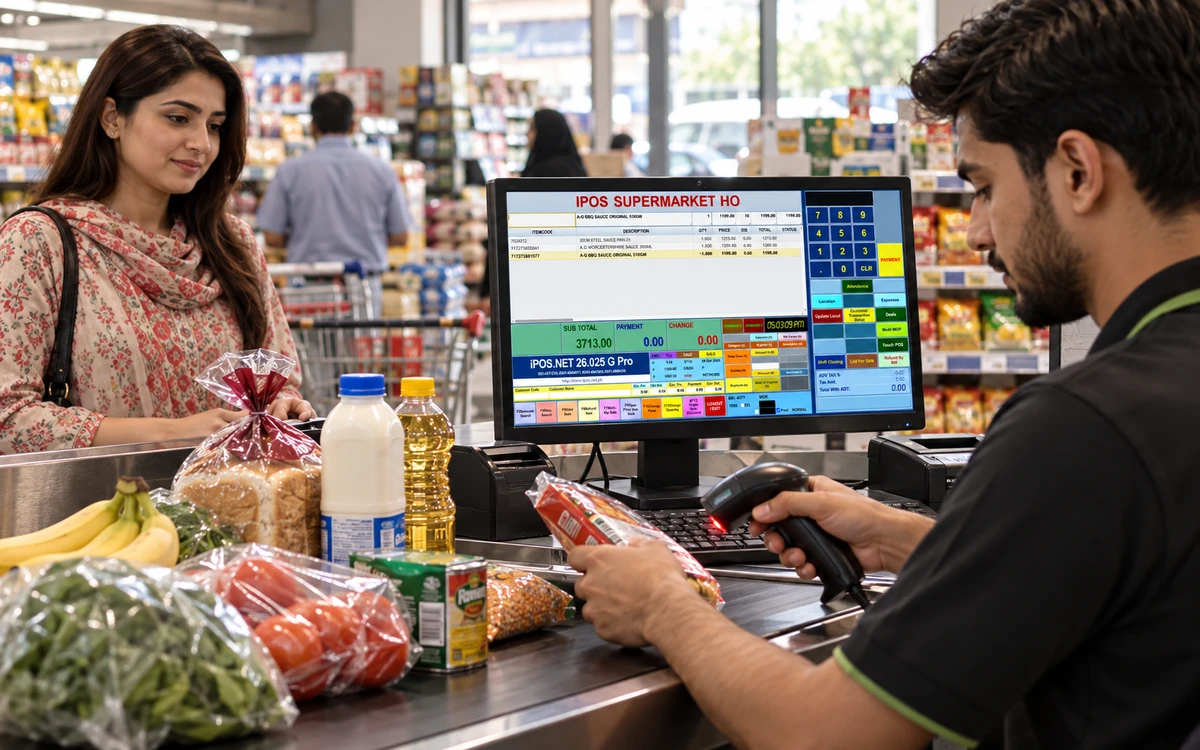
Time a realistic checkout.
Choose a stage to explore the practical checks.
Define the transaction you are timing
Choose the start and finish points before testing. For example, the business might measure from the first scanned item to the completed customer receipt and recorded payment. Include the tasks a cashier normally performs between those points. Timing only the moment a button responds can exclude most of the customer journey. Keep the definition written down so different providers, operators or branches do not report results for different amounts of work.
Read this part of the guideUse representative baskets and equipment
Prepare a normal basket and a larger basket based on your trading pattern. Include the actual scanner, printer and counter device intended for deployment. Record the product version and proposed configuration. If a provider tests on different equipment, keep that result separate rather than treating it as directly comparable. The purpose is to understand the likely experience at your counter, not to produce a winning number from an unrelated demonstration machine.
Read this part of the guideAllow a consistent learning period
Give operators an equivalent opportunity to learn the approved workflow before taking measurements. Ask them to use the supported shortcuts and normal controls. Do not compare a trained demonstrator on one system with an untrained employee on another and call the difference a product benchmark. Retain the procedure and repeat the test with the people who will actually work at the counter. Their questions can reveal a training or usability issue that a stopwatch alone misses.
Read this part of the guideA claim that software is fast is difficult to evaluate without a shared test. A useful checkout benchmark measures the work the cashier must complete under realistic conditions. Apply the same test to every shortlisted configuration, including iPOS, and distinguish the product's behaviour from the effects of hardware, network conditions and operator familiarity.
Define the transaction you are timing
Choose the start and finish points before testing. For example, the business might measure from the first scanned item to the completed customer receipt and recorded payment. Include the tasks a cashier normally performs between those points. Timing only the moment a button responds can exclude most of the customer journey. Keep the definition written down so different providers, operators or branches do not report results for different amounts of work.
| Measure | Keep consistent | Record alongside it |
|---|---|---|
| Ordinary sale | Start and finish points with the same basket | Equipment, software version and operator preparation |
| Exception handling | The same unreadable label or correction case | Approval steps and successful record completion |
| Busy conditions | An agreed workload on the proposed setup | Counter count and connection dependencies |
| Reported result | Repeated complete runs | Individual timings, errors and recovery effort |
Use representative baskets and equipment
Prepare a normal basket and a larger basket based on your trading pattern. Include the actual scanner, printer and counter device intended for deployment. Record the product version and proposed configuration. If a provider tests on different equipment, keep that result separate rather than treating it as directly comparable. The purpose is to understand the likely experience at your counter, not to produce a winning number from an unrelated demonstration machine.
Allow a consistent learning period
Give operators an equivalent opportunity to learn the approved workflow before taking measurements. Ask them to use the supported shortcuts and normal controls. Do not compare a trained demonstrator on one system with an untrained employee on another and call the difference a product benchmark. Retain the procedure and repeat the test with the people who will actually work at the counter. Their questions can reveal a training or usability issue that a stopwatch alone misses.
Include exceptions and correction effort
Test an unreadable barcode, an item lookup, an authorised discount and a representative return or bill correction. Record how long the complete resolution takes and whether a supervisor is needed. A fast ordinary sale does not establish that the counter handles exceptions well. Keep successful completion and accurate records as mandatory requirements. A shorter transaction that leaves the cashier to repair the stock or payment record afterwards is not necessarily the better operational result.
Observe busy conditions without hiding dependencies
Discuss the expected number of counters and the connection required by the proposed deployment. For browser-based checkout, include the internet connection in the test conditions. Ask the provider to explain how the system behaves during an interruption rather than assuming uninterrupted access. If a load test is relevant, agree a safe, documented method and record the workload used. Do not convert a single-counter timing into a claim about an entire branch network.
Report results with their practical limits
Use repeated runs and preserve the individual observations, not just the fastest one. Compare typical completion time, errors, recovery effort and operator feedback. State the date, equipment and transaction definitions beside the results. No benchmark should override a failed essential workflow. This evidence-led approach helps businesses assess iPOS and other providers on the same basis without relying on unsupported claims that any product is universally the fastest.
Useful next steps
Ask iPOS to run your own checkout test basket using the intended equipment and to explain any dependency that affects the result. Discuss your requirements with iPOS.
More from Insights

Owner Mobile Apps for Connected POS and ERP Management
Connect owner decisions with iPOS Web POS, Infinity ERP and mobile access. Evaluate branch context, exceptions, permissions and useful management workflow…

Customer Mobile Apps for Stronger Retail Relationships
Plan a useful iPOS customer mobile app around real customer journeys, clear records and consistent service, with owner and customer responsibilities kept…

Ecommerce Stores, iPOS Web POS and Infinity ERP
Plan an ecommerce store alongside iPOS Web POS and Infinity ERP, with clear ownership of products, stock, orders, fulfilment and customer-facing informati…