
FBR POS Integration: A Practical Acceptance Test Plan
Plan an FBR POS integration demonstration around invoice acceptance, exceptions, returns and daily reconciliation before signing off your retail setup in Pakistan.
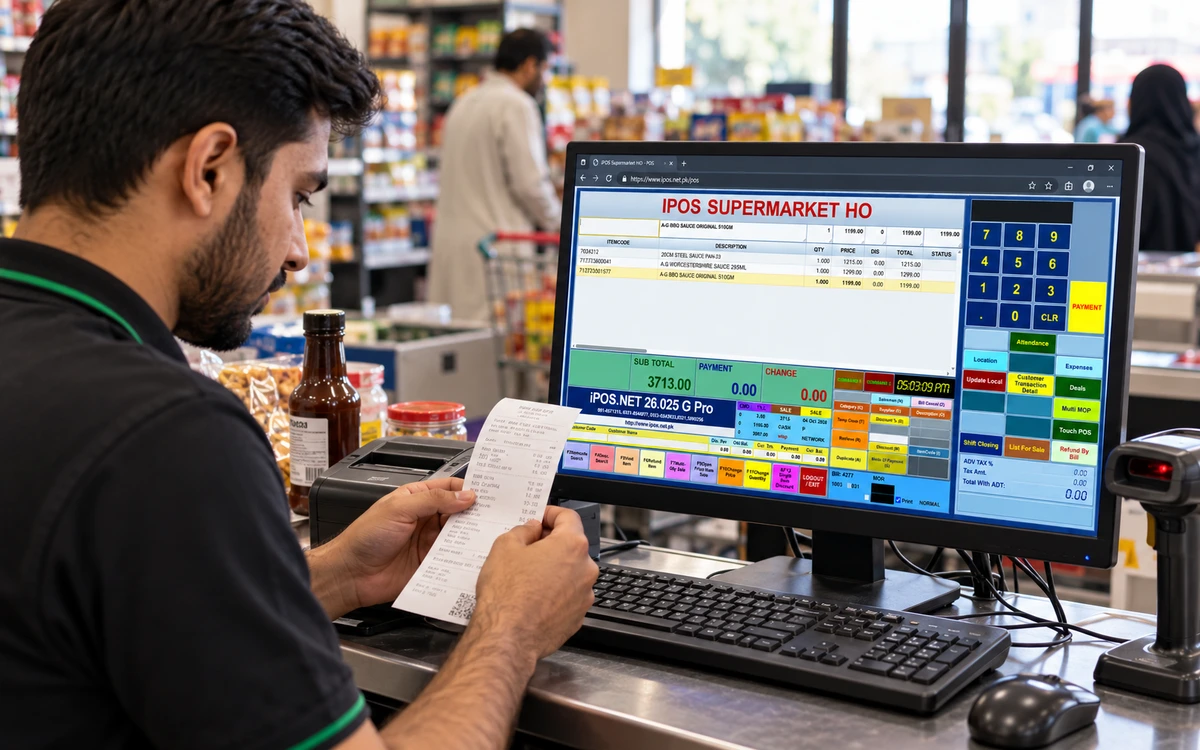
Test the invoice journey.
Choose a stage to explore the practical checks.
Start with the exact business scope
List each legal entity, branch, counter and invoice type involved. Ask the implementation team to identify the applicable integration, supported product version and responsibilities for onboarding. Federal and provincial workflows should not be treated as interchangeable. Have your accountant or adviser confirm the current obligations that apply to your operation. Keep this scoping document with the commercial proposal so the demonstration and the delivered configuration can be compared against the same requirements.
Read this part of the guideFollow one ordinary sale from start to finish
Prepare a small basket containing your usual item types, prices and payment methods. Record the sale number generated at the counter, the integration response and the final customer document. Compare item quantities, discounts, taxes and totals across those records. If the proposed workflow adds a verification reference or QR code, inspect its content and destination. Ask the operator to demonstrate the actual process rather than describing an ideal sequence on slides.
Read this part of the guideTest the exceptions before the busy day
A reliable demonstration includes a rejected request, an unavailable connection and an interrupted counter session. Ask how the operator identifies the problem, which records remain pending and who is allowed to resolve them. Never assume that a failed response means the sale disappeared, or that pressing send again is harmless. The implementation team should explain how duplicate submissions are prevented and how an unresolved item becomes visible to the responsible person.
Read this part of the guideAn integration project succeeds when the business can trace an invoice through the counter, the integration response and the records used by accounts. A logo on a brochure is only the beginning. Use a written acceptance plan to evaluate the proposed iPOS configuration against the transactions your business actually processes.
Start with the exact business scope
List each legal entity, branch, counter and invoice type involved. Ask the implementation team to identify the applicable integration, supported product version and responsibilities for onboarding. Federal and provincial workflows should not be treated as interchangeable. Have your accountant or adviser confirm the current obligations that apply to your operation. Keep this scoping document with the commercial proposal so the demonstration and the delivered configuration can be compared against the same requirements.
Follow one ordinary sale from start to finish
Prepare a small basket containing your usual item types, prices and payment methods. Record the sale number generated at the counter, the integration response and the final customer document. Compare item quantities, discounts, taxes and totals across those records. If the proposed workflow adds a verification reference or QR code, inspect its content and destination. Ask the operator to demonstrate the actual process rather than describing an ideal sequence on slides.
Test the exceptions before the busy day
A reliable demonstration includes a rejected request, an unavailable connection and an interrupted counter session. Ask how the operator identifies the problem, which records remain pending and who is allowed to resolve them. Never assume that a failed response means the sale disappeared, or that pressing send again is harmless. The implementation team should explain how duplicate submissions are prevented and how an unresolved item becomes visible to the responsible person.
Include returns and corrections
A normal sale does not prove that every later adjustment is covered. Demonstrate a full return, a partial return and a correction relevant to your business. Follow the relationship between the original document and the adjustment. Compare the effect on stock, customer balances and integration reporting. Document any action that requires a supervisor, a particular module or an external portal. These are configuration and process questions, not features to infer from the product name.
Reconcile at the end of the day
Choose a sample day with several payment methods and at least one exception. Compare counter sales with accepted integration records, returns and the totals used by accounts. Explain every difference before closing the test. Keep an exception list with an owner, a reason and the next action. A dashboard total is useful, but a reconciliation process also needs access to the individual documents that explain how that total was produced.
Make sign-off specific and repeatable
Create an acceptance sheet showing the test, expected result, observed result and unresolved work. Separate demonstrated functions from promised future changes. Record the product build, branch setup and hardware used, because a later configuration change can affect the result. Ask who will monitor the integration after launch and how support receives evidence of a problem. Your final approval should refer to the completed tests, the agreed responsibilities and any explicitly accepted limitations.
Useful next steps
Bring a representative invoice, return and exception to your iPOS consultation. That gives the team a concrete basis for a scoped integration demonstration. Discuss your requirements with iPOS.
More from Insights

Owner Mobile Apps for Connected POS and ERP Management
Connect owner decisions with iPOS Web POS, Infinity ERP and mobile access. Evaluate branch context, exceptions, permissions and useful management workflow…

Customer Mobile Apps for Stronger Retail Relationships
Plan a useful iPOS customer mobile app around real customer journeys, clear records and consistent service, with owner and customer responsibilities kept…

Ecommerce Stores, iPOS Web POS and Infinity ERP
Plan an ecommerce store alongside iPOS Web POS and Infinity ERP, with clear ownership of products, stock, orders, fulfilment and customer-facing informati…